
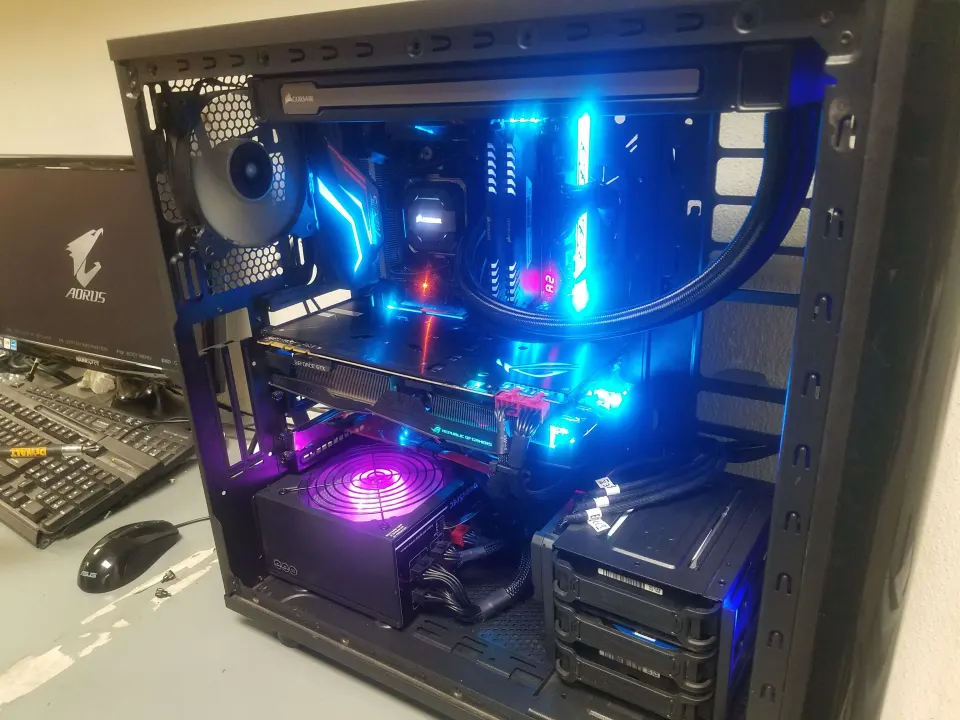
The gaming PC upgrades that make the biggest difference are usually better cooling, a solid state drive and a newer graphics card. Which one is right for you depends on what is holding your system back. At Double Helix Computers we’re gamers ourselves, so here is how we’d think about upgrading a gaming PC.
Cooling can look good, too.
Find the bottleneck first
Before spending anything, work out what is actually limiting your games.
- Frame rates are low or choppy in demanding games: the graphics card is the usual culprit.
- Games take a long time to load: a slow drive is the likely cause.
- The PC gets loud, throttles or shuts off during play: look at cooling.
- Lots of stutter when you have other programs open: you may be short on memory (RAM).
If you’re not sure, bring it to the counter for a free inspection and we’ll help narrow it down.
1. Cooling
A gaming PC without good cooling is like an athlete who can’t breathe: it can’t perform. When a processor can’t shed heat, the computer slows itself down to protect the hardware or shuts off completely, which is a gamer’s worst nightmare.
If you’re still using the CPU cooler that came with your processor, a better cooler is often a smart and affordable upgrade. Better cooling lets your CPU hold higher speeds for longer, and if you like to tinker, it gives you headroom to overclock. Dust-filled fans and old thermal paste cause the same trouble, so a good cleaning can help as well. If your PC already shuts off from heat, see PC shuts off or overheats.
2. SSD
A solid state drive (SSD) makes everything load faster, from your favorite games to your operating system and everyday apps. Your CPU and GPU draw the pixels, but a fast drive gets data to them quicker. If your system still boots from a traditional hard drive, an SSD is one of the best-value upgrades you can make. Ask us about adding one, or see our PC upgrades page.

A solid state drive.
3. Graphics card
If you want the upgrade that most changes how games look and feel, this is it. The graphics card (GPU) generates the 3D images on your screen, so a newer one brings higher frame rates, more detail, better textures and support for higher resolutions.
You don’t need the most expensive card on the market to get a great experience. Match the card to your monitor: a card that is right for a 1080p display is very different from one meant for a high-resolution or VR setup. Also check that your power supply has enough capacity and the right connectors, and that the card physically fits in your case.
4. Memory and storage space
If you run games alongside a browser, chat apps and streaming software, more RAM can smooth things out. And since modern games are large, extra SSD storage can save you from constantly uninstalling and reinstalling.
Keep your rig in the fight
Improve cooling to use the power you already have, add an SSD to cut load times, and upgrade the GPU for more frames and detail. Whichever you choose, the people at Double Helix Computers in Dayton are here to help. See our PC upgrade service or our custom gaming computers, or stop by and talk to someone today.
By Winston Cronenwett